This resource helps staff ensure gift funds are spent in alignment with donor intent.
How to spend gift funds according to donor intent
Donor intent refers to how a person making a charitable contribution intends the money to be used at the University of Washington. The purpose and desired impact of a donor’s gift are most often captured in a gift agreement or research gift letter. Adhering to donor intent is not only our ethical/moral obligation and fiscal responsibility, it contributes to how we build trust, continued investment and meaningful relationships with donors. Failure to utilize the funds or to spend them in accordance with lawful donor intent can lead to negative donor relations as well as legal consequences.
One of the primary ways to ensure we are in compliance with donor intent is to provide access to relevant information. In addition to Tandem, which details the fund purpose, fund type and restriction, there are two resources for this documentation:
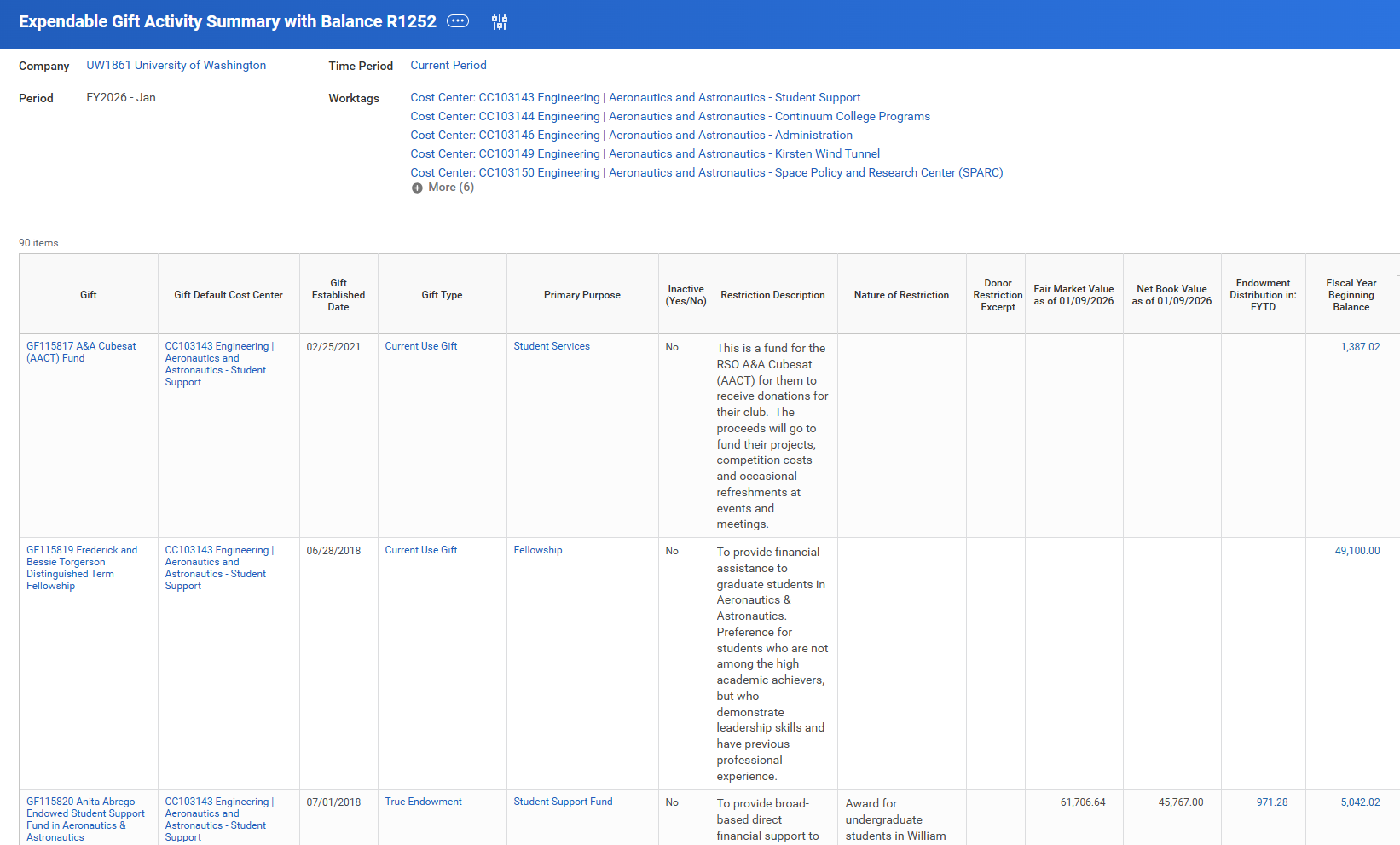
- Workday includes information/reports so that administration of a donor’s gift aligns with their intended purpose, and to provide data-based impact reporting/stewardship as appropriate.
- Enterprise Document Management System (EDMS) – also known as DocFinity, is the repository of gift agreements between the donor and the UW. Gifts associated with an endowment or term fund have agreements where donor intent is captured in a legal document.
- Endowment agreements & gift documentation - online repository of gift agreements and related documentation that governs the use of funds with gift agreements.
- Guidelines and more information about Donor Intent can be found at Fiscal Stewardship.
Gift budget information/reports
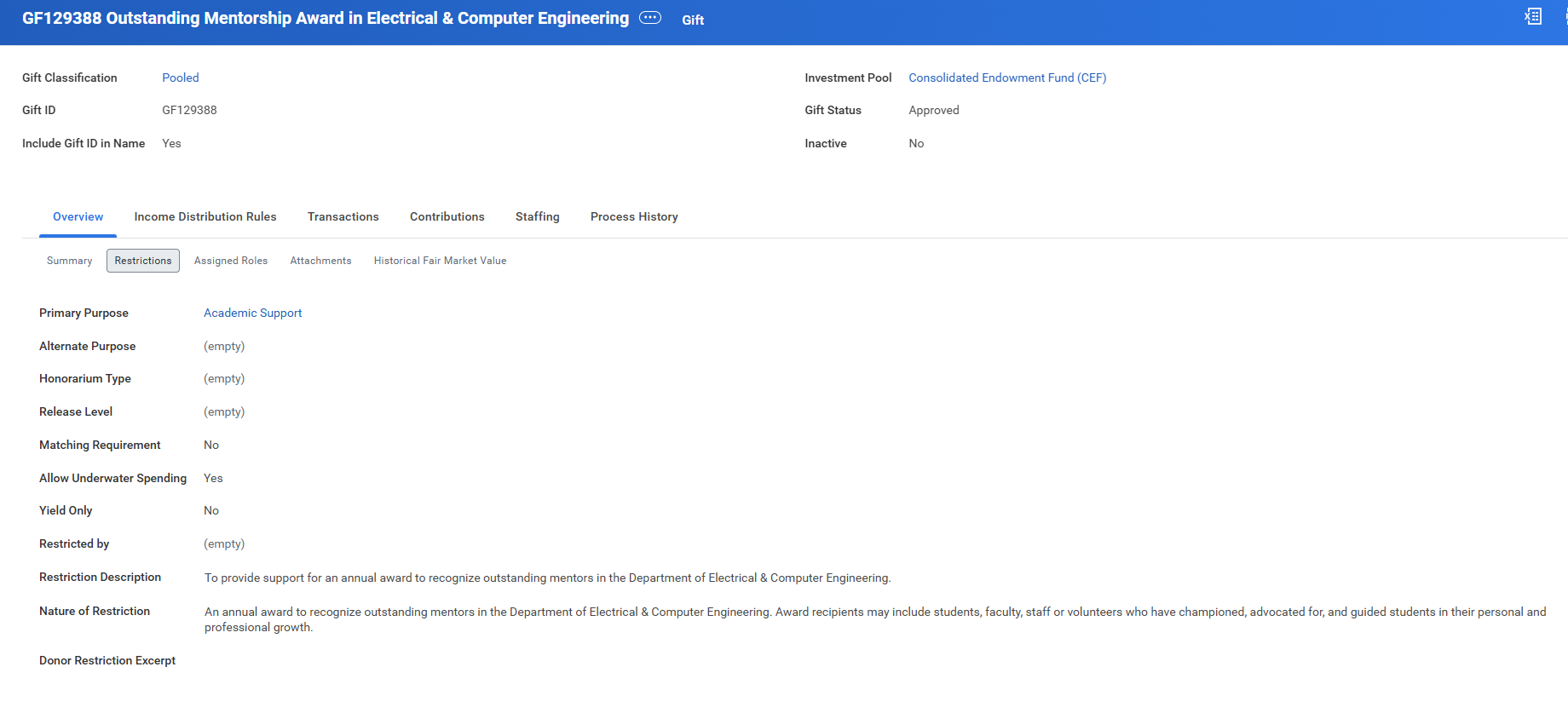
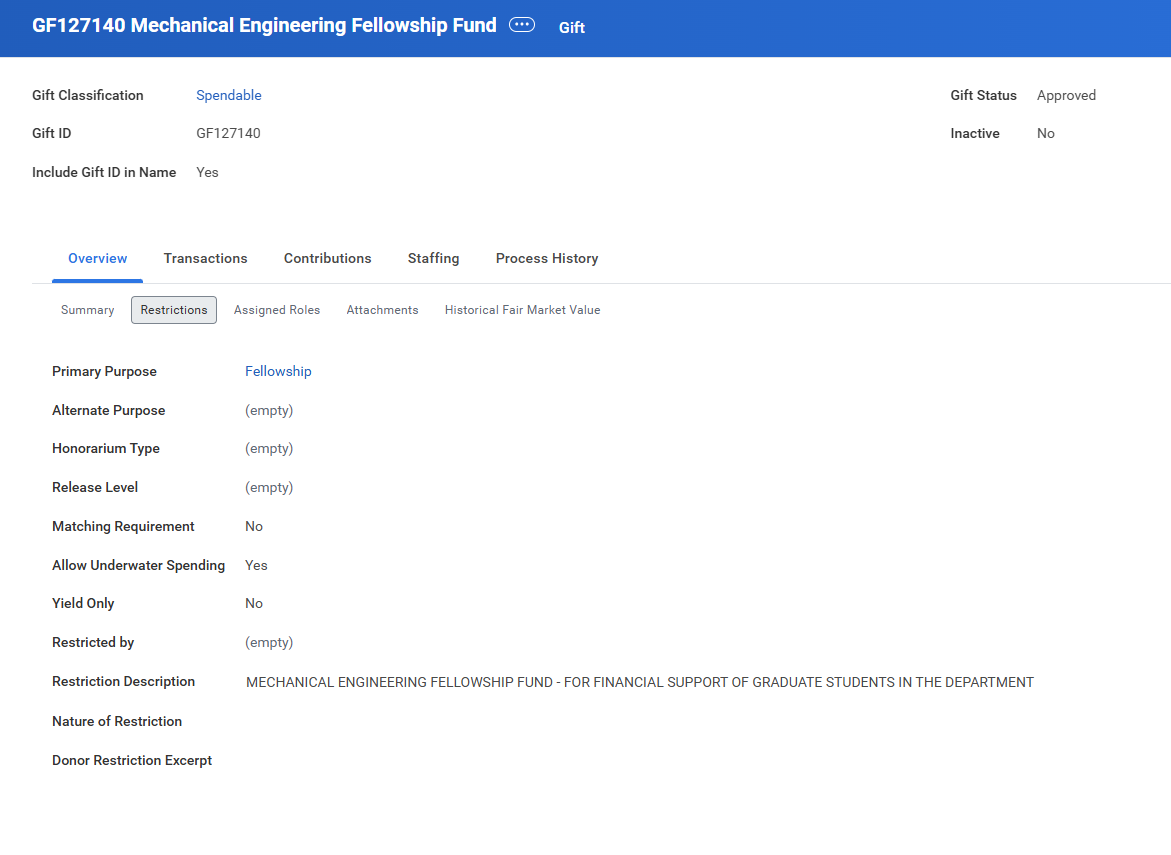
Each gift worktag includes a restriction description and if applicable, nature of restriction.
Endowment example
Current use example
Workday reports for gifts
Tandem reports
Advancement Donor Database reports
If you are looking to verify that a specific donation has been deposited into a fund or would like to review a list of all recent donations then you can run a filter in Tandem. If you don’t have access, you can request access.
It is recommended that you take Tandem Custom Views, Dashboards & Advanced Filtering Training. It covers how to create and apply advanced filters, and how to save and share custom views and dashboards. This training aims to empower users with the vocabulary and skills necessary to tailor Tandem to meet your specific needs. For help contact advhelp@uw.edu.
Filtering line items by unit and timeframe will produce a report of all gift transactions. Reports are limited to 10K rows of data, so a timeframe is required. Another option is to run the ExpressThanks report in Reportal (if you have access to Tandem you will also be able to access this report) which produces a spreadsheet with donor information for thank you letters and includes gift amounts and gift funds for recent donations (the limitation is that reports only include data from the past 4 months).
Page last reviewed on May 2026 and is reviewed annually.